


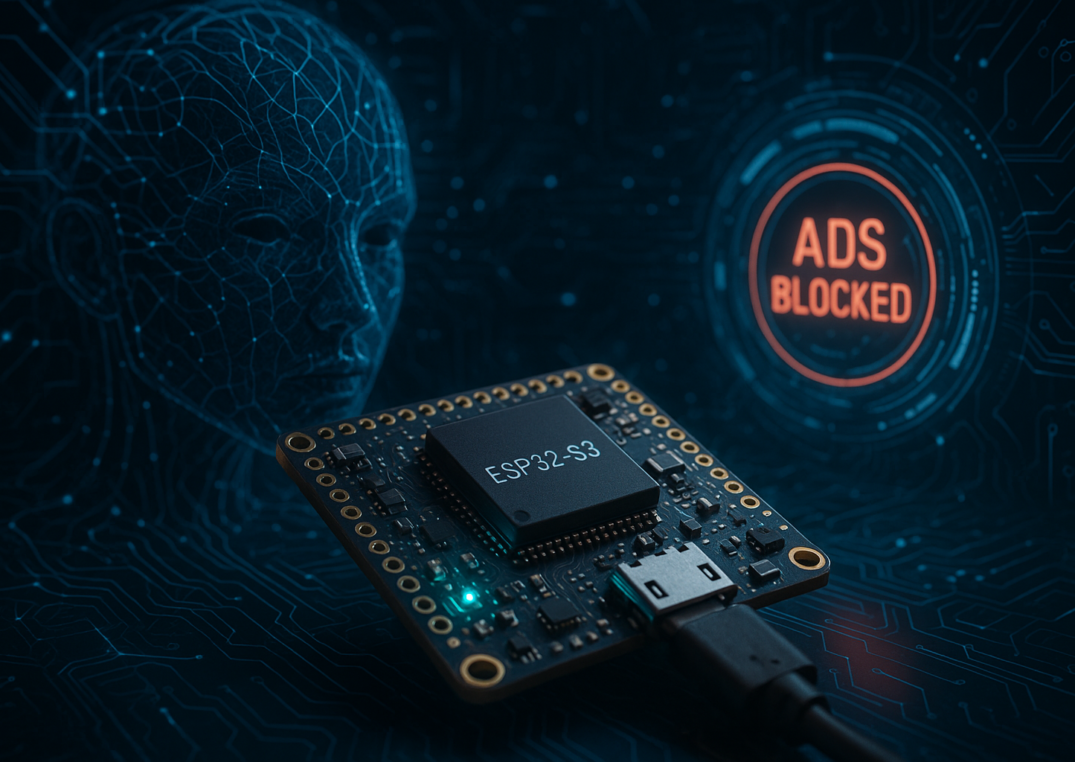
A low-cost microcontroller has emerged as a surprisingly effective network-wide ad‑blocking tool: by loading ESP32_AdBlocker onto an ESP32‑S3 development board that can cost under $10, users can create a DNS sinkhole that strips most advertising requests before they ever reach a browser. The approach trades the power and expense of a Raspberry Pi for an ultra‑efficient setup that focuses on conserving bandwidth and electricity while delivering straightforward deployment through the Arduino IDE.
At the center of the project is the ESP32‑S3, a compact board built around a dual‑core Tensilica Xtensa LX7 32‑bit processor running up to 240 MHz, with 520 KB of RAM and as much as 16MB of flash storage. While it is fundamentally different from a Raspberry Pi 5—which carries a 2.4 GHz quad‑core Arm Cortex‑A76 64‑bit chip, gigabytes of RAM, and support for microSD or NVMe SSD storage—the ESP32‑S3’s minimal footprint and milliwatt‑scale power draw are well matched to the targeted job of DNS filtering. Where a Pi 5 can consume up to 12 W even before add‑ons, the microcontroller’s efficiency makes it better suited for always‑on roles that demand little computational overhead.
The idea behind this build is straightforward: replace the typical DNS pathway with a device that intercepts lookups and declines those associated with known ad domains. In practice, once ESP32_AdBlocker is installed, the board acts as a network appliance, examining each DNS request against a blocklist and directing any matching queries to 0.0.0.0 so the unwanted content never loads. Requests not on the list are forwarded to a standard DNS resolver. The result is a “DNS sinkhole” that reduces unnecessary traffic and helps conserve limited connectivity.
Technology Use Case
The project prioritizes simplicity and economy. For many tasks that might otherwise default to a more capable single‑board computer, the ESP32‑S3 is sufficient. The author notes that while a Raspberry Pi is an excellent platform, it can be excessive for jobs like ad blocking, particularly when prices for Pi boards fluctuate. The ESP32‑S3 with 8MB of PSRAM is recommended over the classic ESP32, with the additional memory helping the ad‑blocking software run more effectively. Cost‑conscious buyers can acquire the board as part of a 3‑pack for around $20, underscoring the budget‑friendly nature of the solution.

Despite its small size—the device is literally a computer you can balance on a finger—the ESP32‑S3 does not require a microSD card or supplemental storage to get started. A USB‑C cable handles both power and data. The software stack is similarly lean. ESP32_AdBlocker is loaded through the Arduino IDE, and configuring the IDE to work with ESP32 hardware is well documented. After opening the project, connecting the board, and clicking upload, the firmware is in place. The board has two USB ports; the one designated COM or USB/Native (when viewed with the ports at the bottom, the right‑hand connector) is the correct choice for flashing.
Setup and Configuration
First boot is designed for a quick start. The ESP32‑S3 comes up in Wi‑Fi access point mode, advertising a network name in the format ESP32_Adblocker_XXXXXXXXXXXX. After connecting to that network, users navigate to 192.168.4.1 to enter the router’s Wi‑Fi SSID and password. On the next reboot, the board joins the local network, and the web interface accepts a blocklist URL. A large and well‑maintained collection of hosts files can be sourced from StevenBlack/hosts, enabling a comprehensive starting point that can include millions of known advertising endpoints.
With the blocklist applied, the last step is to point devices at the ESP32‑S3 for DNS resolution. The same address used during initial setup—192.168.4.1—becomes the DNS server setting on individual devices or the network router. Vendor documentation such as Cloudflare’s platform‑specific instructions can help with locating the DNS fields; in this case, users simply substitute the ESP32’s local address in place of a public resolver. Once set, every DNS lookup on the network first passes through the ESP32‑S3.
How It Works
DNS operates like a directory for translating names into addresses. Web pages often assemble content from many locations—HTML, images, video, and advertising can originate across multiple servers. By inserting the ESP32‑S3 as the DNS gatekeeper, lookups for ad domains are caught early and rerouted to a non‑existent destination (0.0.0.0), preventing the content from downloading at all. The approach is broadly effective across standard web browsing and yields immediate bandwidth savings, especially on constrained connections.
There are limitations. YouTube ads, for instance, are served from the same addresses as the requested videos, so blocking those requests would also block the video content. In addition, the method does not cover newer IPv6 addresses. Taken together, those caveats mean that while the system removes a wide slice of advertising overhead, it cannot eliminate every ad in every context.
Troubleshooting and Practical Tips
Most configuration issues are easily solved. Common pitfalls include using a charge‑only USB‑C cable that does not support data transfer, selecting the wrong USB port on the board, or needing to adjust compile and board settings in the Arduino IDE. Extensive troubleshooting resources exist for the ESP32 and the Arduino environment, and the author provides a screenshot of working IDE settings as reference. For physical protection, users can purchase a purpose‑built case, 3D print one, or improvise with electrical tape or shrink‑wrap tubing sized to fit the board.
Alternatives and Trade‑offs
For a long‑term or high‑throughput installation, a Raspberry Pi Zero 2 W running PiHole is a robust option. That path does raise the cost to at least the price of the Pi Zero 2 W plus a microSD card, shifting the build into a different tier than the sub‑$10 microcontroller approach. PiHole can also run on a separate computer or in a virtual machine. Finally, there are off‑the‑shelf appliances that include ad blocking by default, though that removes the hands‑on element and may not align with a hobbyist’s aim to minimize expense and power usage.
Market Impact
The ESP32‑S3 solution demonstrates how much capability can be extracted from inexpensive hardware when the task is tightly defined. By operating as a DNS sinkhole, the board reduces bandwidth waste without requiring a full computer, and it does so at a power level that is practical for continuous use. It will not replace a Raspberry Pi in more demanding roles, but it offers a clear alternative where simplicity, cost, and efficiency are the priorities.
In short, repurposing an ESP32‑S3 as a DNS filter via ESP32_AdBlocker shows that ad blocking does not have to involve complex builds or substantial hardware outlay. For users dealing with limited connectivity—or anyone interested in a compact, low‑power network utility—the microcontroller route offers a pragmatic, budget‑friendly answer with clearly defined strengths and known constraints.